WinWGet0.20
软件大小:1.6M
软件语言:简体中文
软件类别:应用工具
更新时间:2025-12-14 18:08:04
版本:0.20
应用平台:WinXP,Win7,WinAll
- 软件介绍
- 软件截图
- 相关软件
- 相关阅读
- 下载地址
WinWGet 是一款强大的 Windows 软件包管理工具,亮点在于能批量安装、更新和卸载软件,操作高效便捷。我超喜欢它的批量安装功能,以往要一个个去官网下载安装软件,既耗时又麻烦。有了 WinWGet,只需在命令行输入指令,就能一次性安装多个软件,比如办公常用的 Word、Excel 等,大大节省了我的时间,让软件安装变得轻松简单。
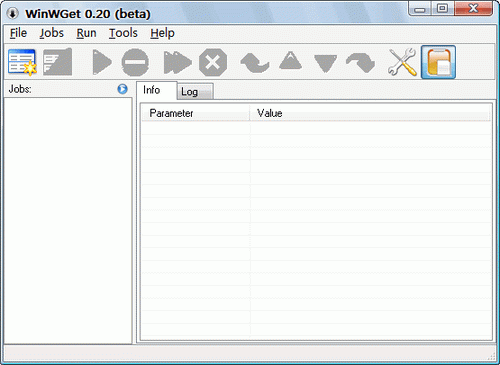
WinWGet is a GUI (Graphical User Interface) for Wget. It is FREE. It will keep track of your downloads - add, clone, edit, delete jobs. It will not make coffee for you! It is expected from you to know what options you need, yet it comes with reasonable defaults.
At this time the interface is available only for Windows OS. Soon it will be available for Unix/Linux.
Features (GUI and wget)
Threaded jobs
Monitor Clipboard for URL's (or new URLs only)
Resume for downloads
Mozilla integration through 'Download with' extension (command line URL) - how to
Mozilla integration through 'Launchy' (sample launchy.xml file)
Jobs export into HTML file
Predefined user-agents (IE, Mozilla, Opera, Flashget, MediaPlayer :-) and etc...)
Support for asp/php redirection and http authentication
Multiple ftp files/dirs download (? and * chars)
Bit rate limit (download speed)
check wget docs for more...