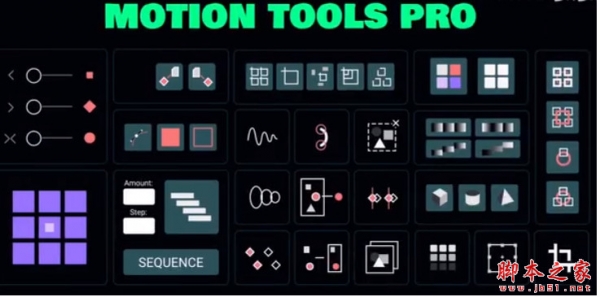
AE脚本Motion Tools Pro V1.3.1 中英文直装专业版
软件大小:3.9MB
软件语言:简体中文
软件类别:应用工具
更新时间:2026-01-24 11:49:45
版本:v1.3.1 中英文直装专业版
应用平台:Windows平台
- 软件介绍
- 软件截图
- 相关软件
- 相关阅读
- 下载地址
AE脚本Motion Tools Pro V1.3.1 中英文直装专业版,是一款功能强大的AE脚本。它拥有丰富多样的预设效果,能极大提高视频制作效率。我特别喜欢它的一键添加动态效果功能,以往制作视频时,添加动态元素要花费大量时间去调整参数,而有了这个功能,只需一键就能快速为视频添加炫酷的动态效果,轻松解决了制作过程中时间成本高的问题,简直是AE用户的福音。
安装方法
包含两种AE脚本安装方法(温馨提示:脚本使用需要注册一个MDS官网(Motion Design School网站)的账号
一、安装版本(含中文英文版):
一键直装版,安装即可使用
对应自己的系统,选择安装即可
二、手动拷贝版本(仅英文版):
1.拷贝Motion Tools Pro文件夹到以下位置:
Win : C:\Program Files (x86)\Common Files\Adobe\CEP\extensions\
Mac : ~/资源库/Application Support/Adobe/CEP/extensions
MAC如何找到extensions文件夹?
打开Finder,Shift+Commad+G,前往文件夹,输入:~/Library/Application Support/Adobe/,然后找到CEP/extensions文件夹,如果没有的话就手动新建一个
2.Win运行一下Add Keys.reg
Mac运行一下install-as-admin,或者终端运行下面代码,按回车即可(访达>前往>实用工具>终端 或者 应用程序>实用工具>终端)
defaults write com.adobe.CSXS.5 PlayerDebugMode 1
defaults write com.adobe.CSXS.6 PlayerDebugMode 1
defaults write com.adobe.CSXS.7 PlayerDebugMode 1
defaults write com.adobe.CSXS.8 PlayerDebugMode 1
defaults write com.adobe.CSXS.9 PlayerDebugMode 1
defaults write com.adobe.CSXS.10 PlayerDebugMode 1
defaults write com.adobe.CSXS.11 PlayerDebugMode 1
defaults write com.adobe.CSXS.12 PlayerDebugMode 1
defaults write com.adobe.CSXS.13 PlayerDebugMode 1
defaults write com.adobe.CSXS.14 PlayerDebugMode 1
defaults write com.adobe.CSXS.15 PlayerDebugMode 1
defaults write com.adobe.CSXS.16 PlayerDebugMode 1
3.打开软件,在软件顶部菜单 窗口-扩展 下就可以找到脚本了