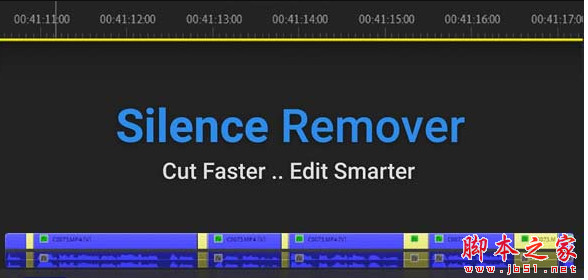
PR无声音频自动剪辑插件Aescripts Silence Remover V1.2 For Premiere 免费版
软件大小:4.6MB
软件语言:简体中文
软件类别:应用工具
更新时间:2026-01-27 04:23:50
版本:ver V1.2 For Premiere 免费版
应用平台:Windows平台
- 软件介绍
- 软件截图
- 相关软件
- 相关阅读
- 下载地址
Aescripts Silence Remover V1.2 For Premiere 是一款功能强大的 PR 无声音频自动剪辑插件免费版,亮点是能快速精准识别并去除音频中的静音部分 ,大大提高剪辑效率。
我超喜欢它自动去除静音的功能。以前剪辑视频时,手动剔除静音片段既繁琐又耗时,有了这个插件,它能迅速准确地找出静音区域并自动删掉,让我能把更多时间花在创意剪辑上,实实在在解决了音频处理耗时长的难题。
支持Win/Mac系统: Premiere Pro 2022, 2021, 2020, CC 2019
功能介绍
噪音级别允许您管理将多少噪音检测为静音
红线以下的任何内容都被视为静音
根据需要进行调整以获得最佳结果
最短时间任何短于该时间的间隙都不会被检测为静音
偏移量允许您在静音编辑周围设置缓冲区
安装方法
1.拷贝Silence Remover_V1.2文件夹到以下位置:
Win : C:\Program Files (x86)\Common Files\Adobe\CEP\extensions\
Mac : ~/资源库/Application Support/Adobe/CEP/extensions
MAC如何找到extensions文件夹?
打开Finder,Shift+Commad+G,前往文件夹,输入:~/Library/Application Support/Adobe/,然后找到CEP/extensions文件夹,如果没有的话就手动新建一个
2.Win运行一下Add Keys.reg
Mac运行一下install-as-admin,或者终端运行下面代码,按回车即可(访达>前往>实用工具>终端 或者 应用程序>实用工具>终端)
defaults write com.adobe.CSXS.5 PlayerDebugMode 1
defaults write com.adobe.CSXS.6 PlayerDebugMode 1
defaults write com.adobe.CSXS.7 PlayerDebugMode 1
defaults write com.adobe.CSXS.8 PlayerDebugMode 1
defaults write com.adobe.CSXS.9 PlayerDebugMode 1
defaults write com.adobe.CSXS.10 PlayerDebugMode 1
defaults write com.adobe.CSXS.11 PlayerDebugMode 1
defaults write com.adobe.CSXS.12 PlayerDebugMode 1
defaults write com.adobe.CSXS.13 PlayerDebugMode 1
defaults write com.adobe.CSXS.14 PlayerDebugMode 1
defaults write com.adobe.CSXS.15 PlayerDebugMode 1
defaults write com.adobe.CSXS.16 PlayerDebugMode 1
3.打开软件,在软件顶部菜单 窗口-扩展 下就可以找到脚本了

-
PR无声音频自动剪辑插件Aescripts Silence Remover V1.2 For Premiere 免费版下载地址