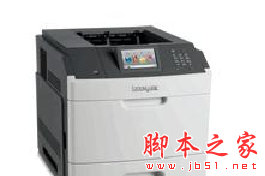
利盟Lexmark M5163 打印机驱动 免费安装版
软件大小:115MB
软件语言:简体中文
软件类别:应用工具
更新时间:2026-02-05 20:56:32
版本:
应用平台:Windows平台
- 软件介绍
- 软件截图
- 相关软件
- 相关阅读
- 下载地址
利盟Lexmark M5163打印机驱动免费安装版,是让利盟M5163打印机稳定高效运行的关键软件。它能完美适配该型号打印机,让打印更顺畅。我特别喜欢它的自动检测功能,之前我用打印机时老是不清楚纸张规格等设置是否正确,有了这个驱动,它能快速自动检测打印机状态和设置,帮我避免了很多因设置不当导致的打印问题,简直省心又省力。
驱动介绍
Lexmark M5163 驱动程序是微型程序,能够让您的 激光打印机 硬件与操作系统软件进行通讯。维持最新的 Lexmark M5163 软件能够防止崩溃,并充分利用硬件与系统性能。使用陈旧或损坏的 Lexmark M5163 驱动程序会导致系统故障、崩溃,并让您的计算机或硬件出现故障。此外,安装错误的 Lexmark 驱动程序会让这些问题更严重
驱动说明
操作系统: Windows 7 (64-bit), Windows 7 (32-bit), Windows 8 (32-bit), Windows 8 (64-bit), Windows Server 2012 (64-bit), Windows 8.1 (32-bit), Windows 8.1 (64-bit), Windows Server 2012 R2 (64-bit), Windows Server 2008 R2 (64-bit), Windows Server 2003 (32-bit), Windows Server 2003 (64-bit), Windows Server 2008 (64-bit), Windows Server 2008 (32-bit), Windows Vista (32-bit), Windows Vista (64-bit), Windows XP (32-bit), Windows XP Professional (64-bit) , Windows 10 (32-bit), Windows 10 (64-bit), Windows Server 2016 (64-bit)
安装说明
1、下载并解压文件,双击运行;
2、点击【下一步】;
3、点击【完成】,即可完成安装过程