AE插件光线折射模糊朦胧效果Aescripts Diopter V1.02 Mac 苹果电脑特别版
软件大小:35.1MB
软件语言:简体中文
软件类别:应用工具
更新时间:2026-02-08 11:15:59
版本:v1.02 Mac 苹果电脑特别版
应用平台:Mac平台
- 软件介绍
- 软件截图
- 相关软件
- 相关阅读
- 下载地址
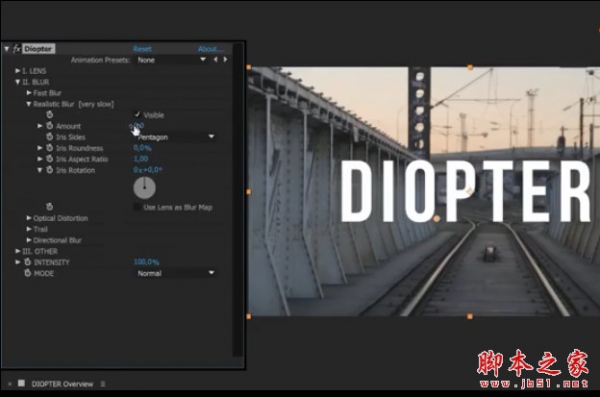
AE插件光线折射模糊朦胧效果Aescripts Diopter V1.02 Mac苹果电脑特别版,专为苹果系统打造,能在AE里轻松实现光线折射、模糊朦胧的惊艳效果。我超喜欢它的折射参数精细调节功能,以往制作科幻场景时,光线折射效果很难把握,用这个功能就能根据需求精确调整折射角度、强度等,让场景里光线折射自然又逼真,轻松打造出奇幻氛围。
这个插件可以在AE中快速给视频或图像天界模糊,失真,调色等效果,
还可以用自定义形状和其他图层来生成光效。
Diopter is a native Adobe After Effects plugin which plays with blurs, optical effects, light and more。Diopter is a plugin which adds optical effects (blur, distortion, coloration) on a layer. Choose a lens shape (a mask) among the in-built shapes or use another layer as Luma Matte. This lens may be transformed.Apply different effects to the lens: fast blur, realistic blur, directional blur, trail, optical distortion, brightness, color, chromatic aberration.
The overall intensity of the effect can be controlled, it’s also possible to apply a blend mode : Screen, Add, Multiply.
支持:After Effects CC 2019, CC 2018, CC 2017, CC 2015.3, CC 2015, CC 2014, CC, CS6
ps:这里提供最新AEscripts Diopter破解版下载,需要的朋友可下载试试!
Diopter Windows 汉化破解版下载地址
【安装方法】
1.复制Diopter_CC_CS6.aex到AE插件目录
2.打开AE软件使用插件,输入下面序列号注册(如图)
RMND*Look*AE*8888888888888888888

-
AE插件光线折射模糊朦胧效果Aescripts Diopter V1.02 Mac 苹果电脑特别版下载地址