picasso-2.5.2.jar包(安卓图片加载框架) 官方免费版
软件大小:107KB
软件语言:简体中文
软件类别:应用工具
更新时间:2026-03-02 18:30:25
版本:
应用平台:Windows平台
- 软件介绍
- 软件截图
- 相关软件
- 相关阅读
- 下载地址
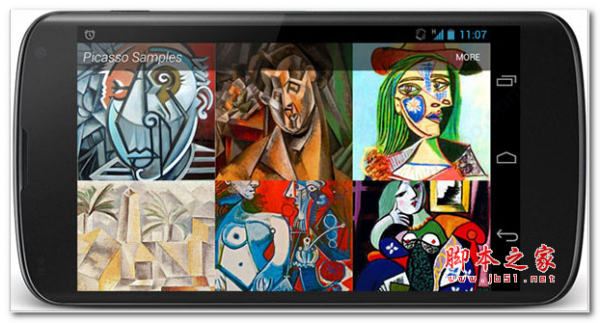
Picasso-2.5.2.jar包是一款超实用的安卓图片加载框架,它具有高效、轻量级等亮点,能快速且流畅地加载图片。我特别喜欢它的内存缓存功能。在开发安卓应用时,我常常要处理大量图片,内存很容易吃紧,而这个功能能将图片缓存在内存中,再次加载相同图片时无需重复请求,大大节省了资源,还提升了图片加载速度,有效解决了应用卡顿问题。
功能特点:
1.ImageView在适配器中处理回收和下载取消。
2.复杂的图像转换与最小的内存使用。
3.自动内存和磁盘缓存。
使用方法:
适配器下载
自动检测适配器重新使用,并取消以前的下载。
@Override public void getView(int position,View convertView,ViewGroup parent){
SquaredImageView view =(SquaredImageView)convertView;
if(view == null){
view = new SquaredImageView(context);
}
String url = getItem(position);
Picasso.with(context).load(url).into(view);
}
图像转换
转换图像以更好地适应布局并减少内存大小。
Picasso.with(context)
.load(url)
.resize(50,50)
.centerCrop()
.into(imageView)
您还可以为更高级的效果指定自定义转换。
public class CropSquareTransformation implements Transformation {
@Override public Bitmap transform(Bitmap source){
int size = Math.min(source.getWidth(),source.getHeight());
int x =(source.getWidth() - size)/ 2;
int y =(source.getHeight() - size)/ 2;
Bitmap result = Bitmap.createBitmap(source,x,y,size,size);
if(result!= source){
source.recycle();
}
return result;
}
@Override public String key(){return“square()”; }
}
将此类的实例传递给该transform方法。
Place Holders
Picasso.with(context)
.load(url)
.placeholder(R.drawable.user_placeholder)
.error(R.drawable.user_placeholder_error)
.into(imageView);
在显示错误占位符之前,将重试三次请求。
资源加载
资源,资产,文件,内容提供程序都作为图像来源被支持。
Picasso.with(context).load(R.drawable.landing_screen).into(imageView1);
Picasso.with(context).load(“file:///android_asset/DvpvklR.png”).into(imageView2);
Picasso.with(context).load(new File(...))。into(imageView3);
Debug Indicators
对于开发,您可以启用指示图像源的彩**带的显示。调用setIndicatorsEnabled(true)毕加索实例。